Fertilizers Screen
Crop Data --> Soil and/or tissue analysis --> Source Water --> Fertilizers --> Fertigation / nutrient solution
In this screen you will select the fertilizers you have available and calculate the ideal mix of fertilizers and their application rates.
1. Select the fertilizers to be used for the calculation
You can select the fertilizers that you have available in your market, at your farm or any fertilizer that you allow to use for the calculation.
This DOES NOT necessarily mean that SMART! will use all of the fertilizers you selected. It will only use the fertilizers required for the optimization.
How to select fertilizers?
-
Click the Select Fertilizers button.
-
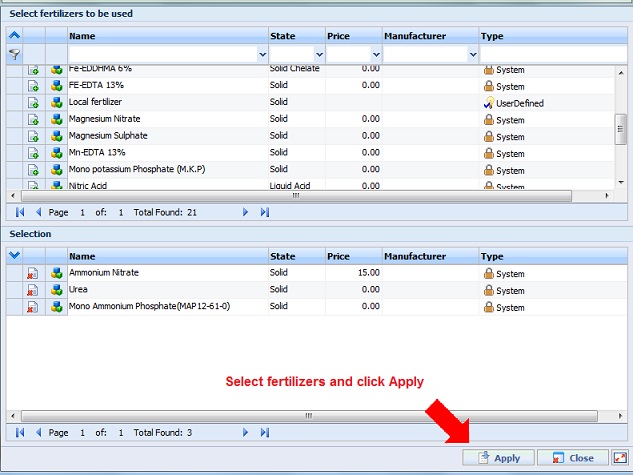
In the window that opens, double click on the fertilizers you have available. Each selected fertilizer will appear at the bottom table.
-
After selecting fertilizers, click the Apply button. The pop-up window closes. The selected fertilizers will appear in the Fertilizers screen.
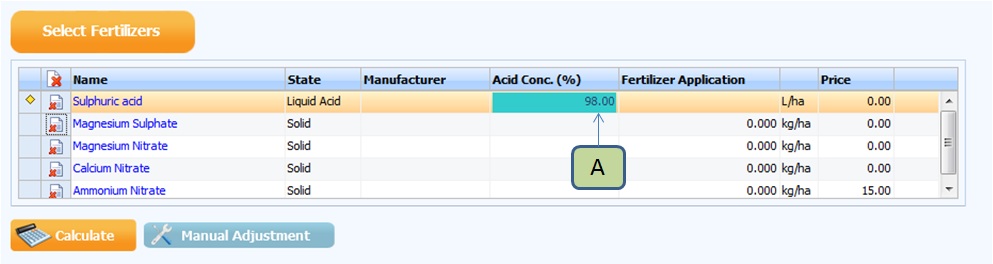
If an acid was among the fertilizers you selected, enter its concentration, according to the manufacturer's data, in the Acid Conc. column (A).
2. Finding the ideal mix of fertilizers and application rates
After selecting fertilizers, click on the Calculate button.
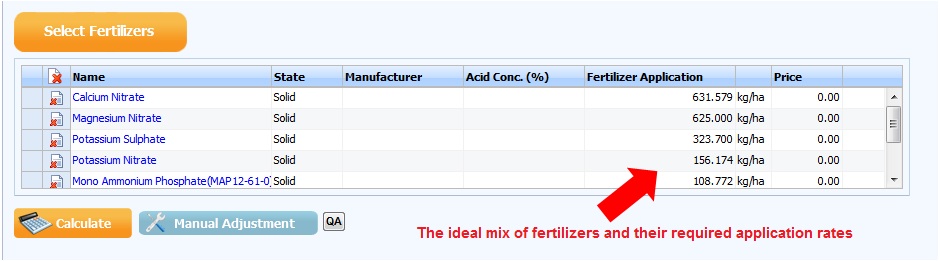
SMART! finds the ideal combination and application rates of the selected fertilizers.
A pop-up window appears. Verify the results in this window and click OK.
Read further explanations about the information displayed in this window.
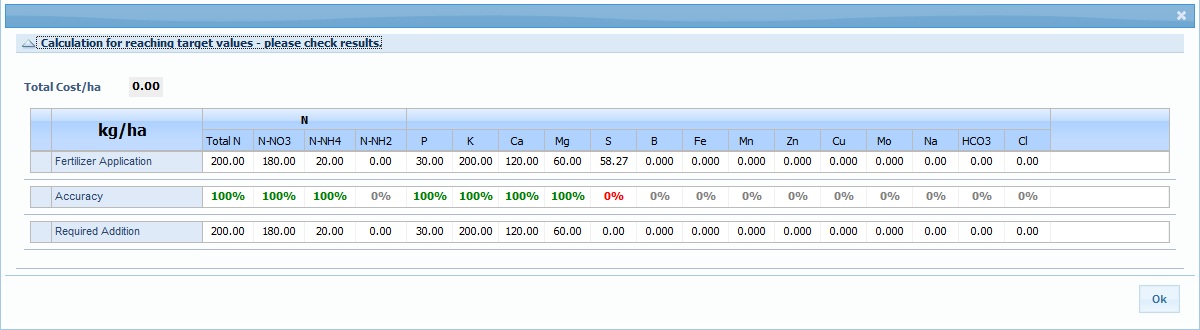
The required fertilizers, their application rates and total cost will be displayed.
If target values are in units of water concentration (ppm, meq/l, mmol/l), then EC and pH of the irrigation water will also be calculated and displayed.
3. Save and Print your fertilizer program or continue to
Fertigation
If you are using Fertigation, you can proceed to Fertigation.
If not, clicking on the Save and Print button will save your fertilizer program and generate a detailed report.